Mode Conflict Resolution prevents multi-head systems from operating in conflicting modes (e.g., cooling vs. heating). It ensures smooth operation and reduces nuisance callouts.
How Does Mode Conflict Resolution Help Your Business Grow?
1. Avoid Nuisance Callouts to Focus on What Matters
Program your system to respond predictably and consistently during mode conflicts, preventing system shutdowns
2. Protect Your Customers’ Systems and Your Reputation
Get transparent behavior rules for multi-head systems that are easy to manage via the Boldr Pro App.
3. Give Options to Your Customers
Customers have the option to choose between two modes:
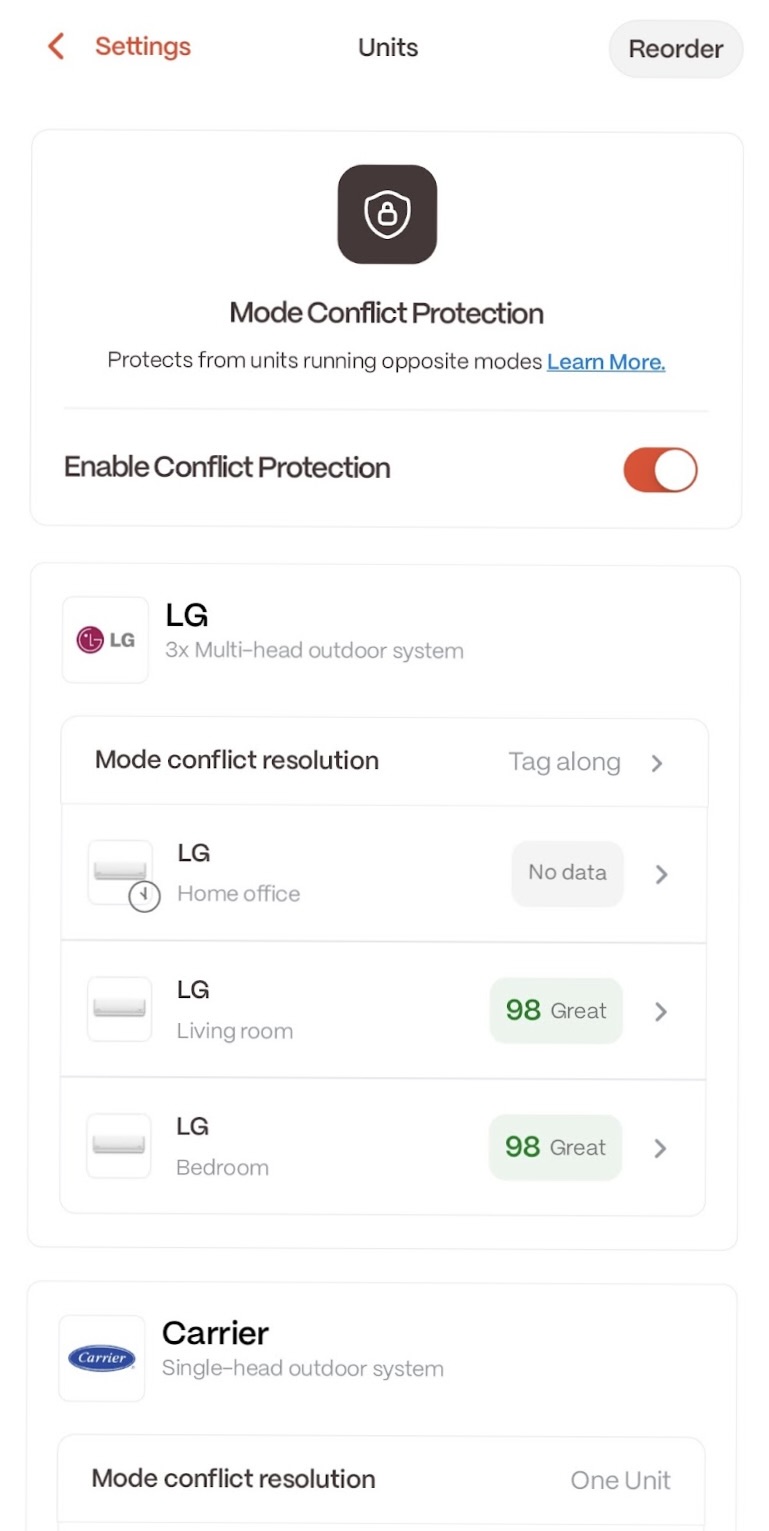
Tag Along Mode: If one room switches to Cooling, all rooms follow.
Shutdown Mode: Conflicting units power off instead of switching modes, protecting the system.
How to Access Mode Conflict Resolution
Mode Conflict Resolution is available through the Boldr Pro App, downloadable from the Apple App Store and Google Play Store.
Where to Find Mode Conflict Resolution in The Boldr Pro App
1. Open the Boldr Installer App - Launch the Boldr Installer app on your device.
2. Select the Desired Installation - From the main screen, tap on the installation you want to access.
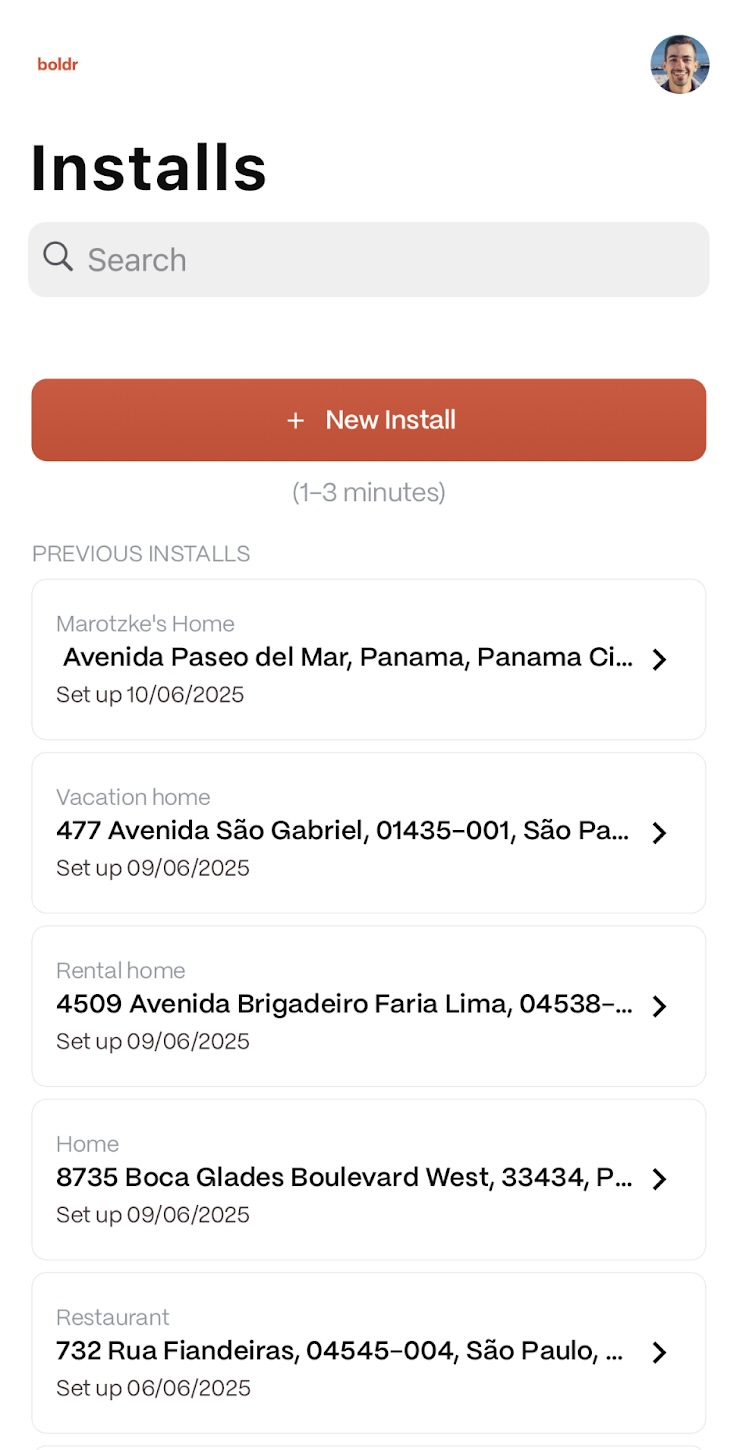
3. Choose a Room to Update - You will be redirected to a list of rooms associated with that installation. Tap on the room you wish to update with Mode Conflict Resolution.
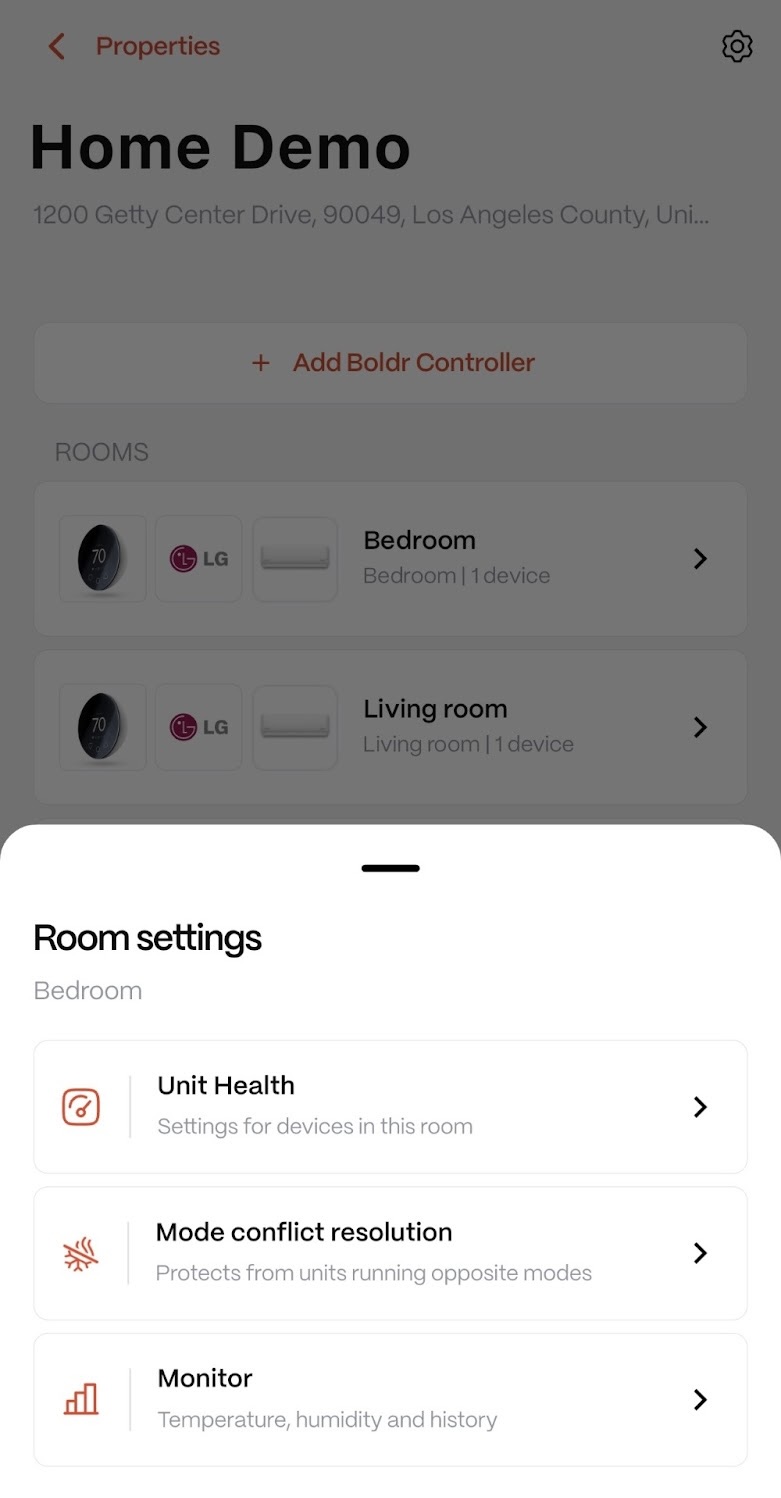
4. Open Mode Conflict Resolution - Once you have clicked on your chosen room, tap the “Mode Conflict Resolution” icon.
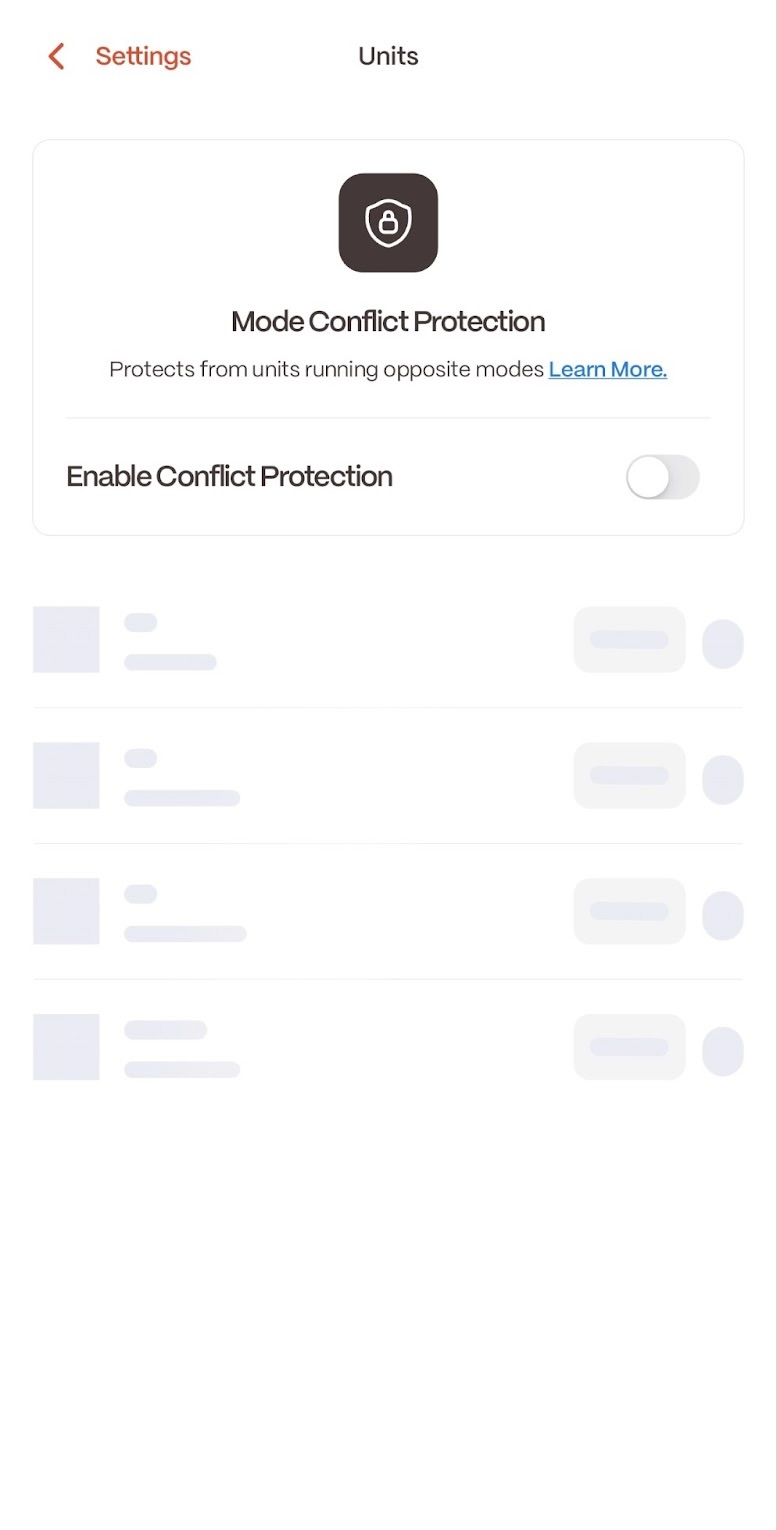
5. Enable Mode Conflict Protection - You will be redirected to the Mode Conflict Protection page. Toggle the feature to enable it.
Need Help?
Contact our Live Pro Tech Support Team at +1 (888) 269-1303, Monday to Friday, 9 AM to 6 PM ET.